
Sign up for an IRCC Portal account
Designated learning institutions (DLIs) must sign up for an IRCC Portal account to complete the letter of acceptance (LOA) verification process.
On this page
How to sign up for the IRCC Portal
An email with a unique invitation code will be sent to the email address of your DLI’s primary representative, known as the “primary user.” The primary user must use the same email address when they sign up for the DLI’s IRCC Portal account.
DLIs are asked to keep their primary user information up to date. DLIs may send a request to modify the primary user (or remove secondary users) as needed. Changing the primary user doesn’t affect existing secondary users.
Follow the steps below to sign up for an account.
- Go to the IRCC Portal sign up page.
- Enter the invitation code you received. Fill in the other required fields.
- Click Sign up.
View image
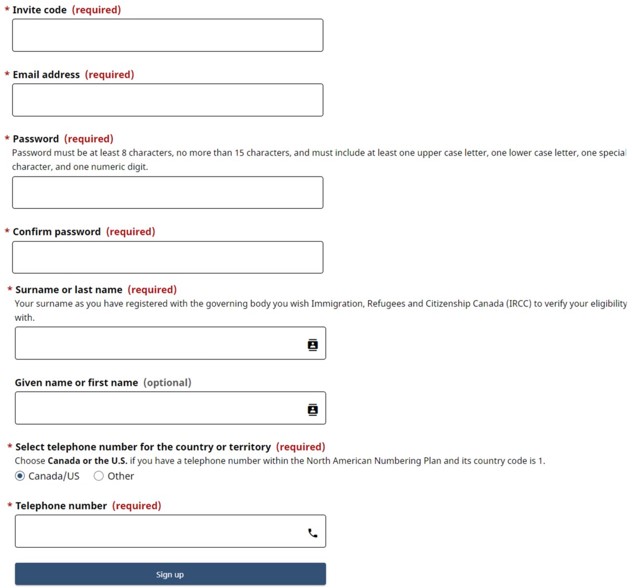
The Confirm sign up page displays.
You’ll receive a second email with a verification code to validate your email address.
- Enter your email address.
- Enter the verification code.
- Click Confirm.
View image

You’ll be prompted to sign in again to the IRCC Portal.
- Enter your email address and password.
- Click Sign in.
View image

- Another verification code will be sent to your registered email address. To continue with verification, enter this code within 3 minutes and click Validate code.
View image
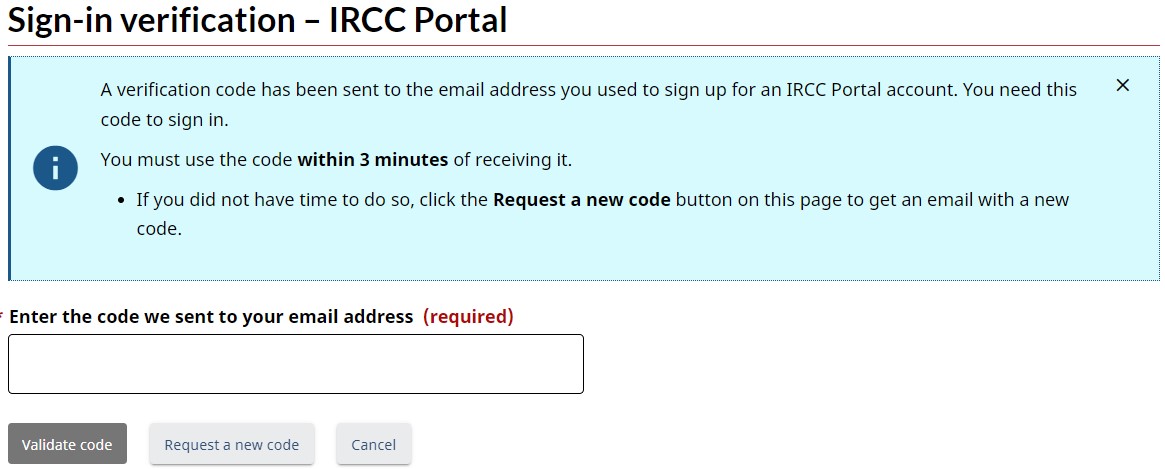
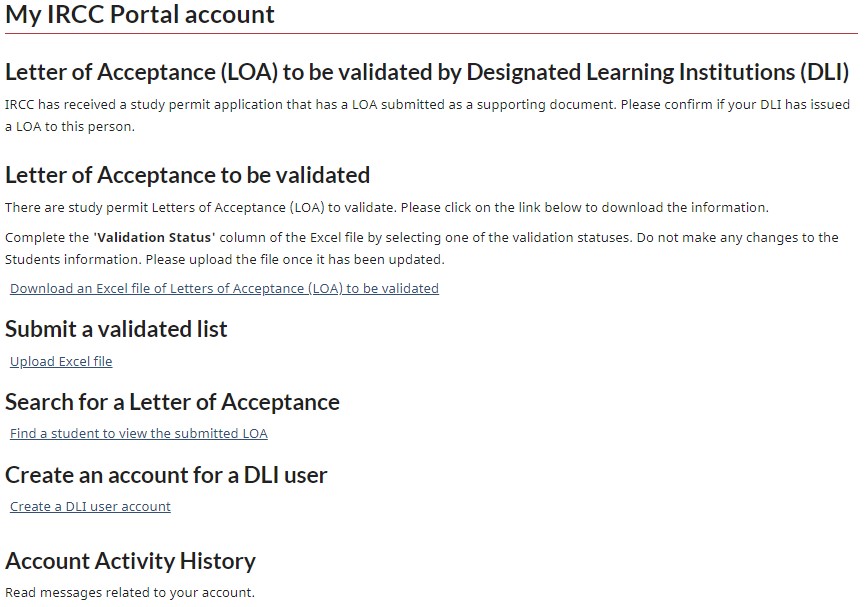
- Read the IRCC Portal terms and conditions. Once you accept them, you’ll be sent to your IRCC Portal account home page.
View image
How to create accounts for secondary users
Only the DLI’s primary user can add additional users (known as “secondary users”) to the IRCC Portal and send an invitation code to the secondary user to create their own portal account. Secondary users can’t create additional users.
Both primary and secondary DLI users can perform all actions within the portal that are required to validate LOA verification requests.
Using a unique email address
The primary and secondary user email addresses must be different for each DLI number.
If the primary or secondary users are already signed up in the IRCC Portal for a purpose other than the verification process, a different email address must be used to register.
To issue an invitation code to a secondary user, follow these steps:
- Sign in to the IRCC Portal.
- Click Create a DLI user account, under Create an account for a DLI user.
- Enter the email address of the user you would like to add.
View image
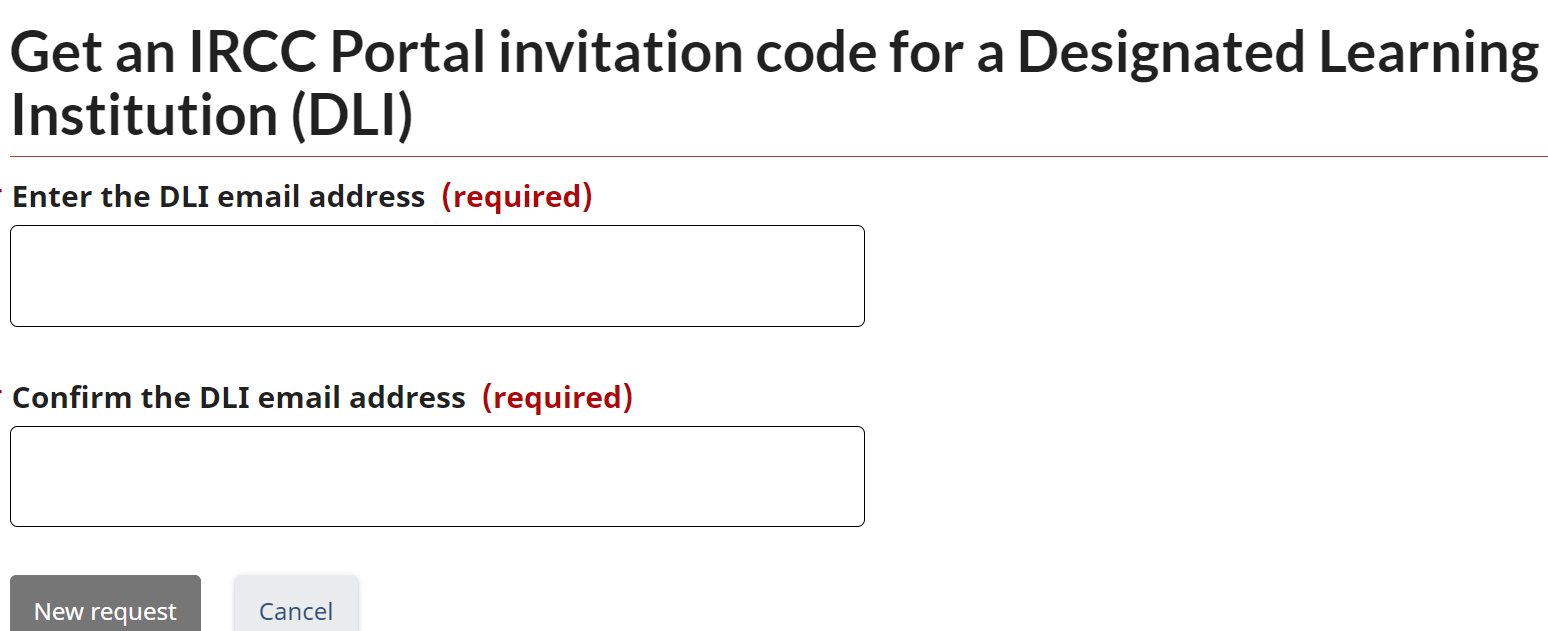
- Click New request.
The new user will receive an invitation code by email and will be able to create their own account.