
How to verify documents in the IRCC Portal
IRCC sends an email to all primary and secondary users daily if there are verification activities to be completed.
You must complete the verification process within 10 calendar days after the email is sent.
If you don’t verify the document on time, the application will be returned to the applicant with their processing fees.
On this page
- Accepted documents
- Validation status options
- How to validate documents
- How to search for a specific student
- Manual verification requests
Accepted documents
The main documents students can submit in the letter of acceptance (LOA) section of their study permit application are
- letters of acceptance
- letters or confirmation of enrolment
- offers of admission or transcript (in certain cases)
Validation status options
When validating documents, you have to choose one of the three following validation options:
- Select Verified – Matched if the submitted document
- is a valid accepted document and
- can be matched to an applicant or current student at your designated learning institution (DLI)
- Select Cancelled if the submitted document
- is expired
- was cancelled by your DLI because it’s no longer valid (for example, because the student deferred, withdrew or did not enrol, etc.)
- Select Verified – No Match if the submitted document
- is not a valid accepted document
- was not issued by your DLI
- was not issued to an applicant or current student at your DLI
What to do if there’s a minor error in the candidate information
If there appears to be a minor error in the name or date of birth shown in the IRCC Portal for someone who otherwise appears to be an applicant or current student at your DLI, you can send an email to the LOA Portal mailbox before the 10-day deadline expires.
Don’t leave LOA verification requests at “Not Started”
The “Not Started” status option is a default setting. Any LOA verification requests that are left as “Not Started” after the deadline expires are flagged as potentially non-compliant.
How to validate documents
Follow these steps to validate the documents in the IRCC Portal:
- Sign in to the IRCC Portal.
- A verification code will be sent to your registered email address. Enter this code within 3 minutes and click Validate code.
- Read the IRCC Portal terms and conditions. If you accept them, click I accept.
-
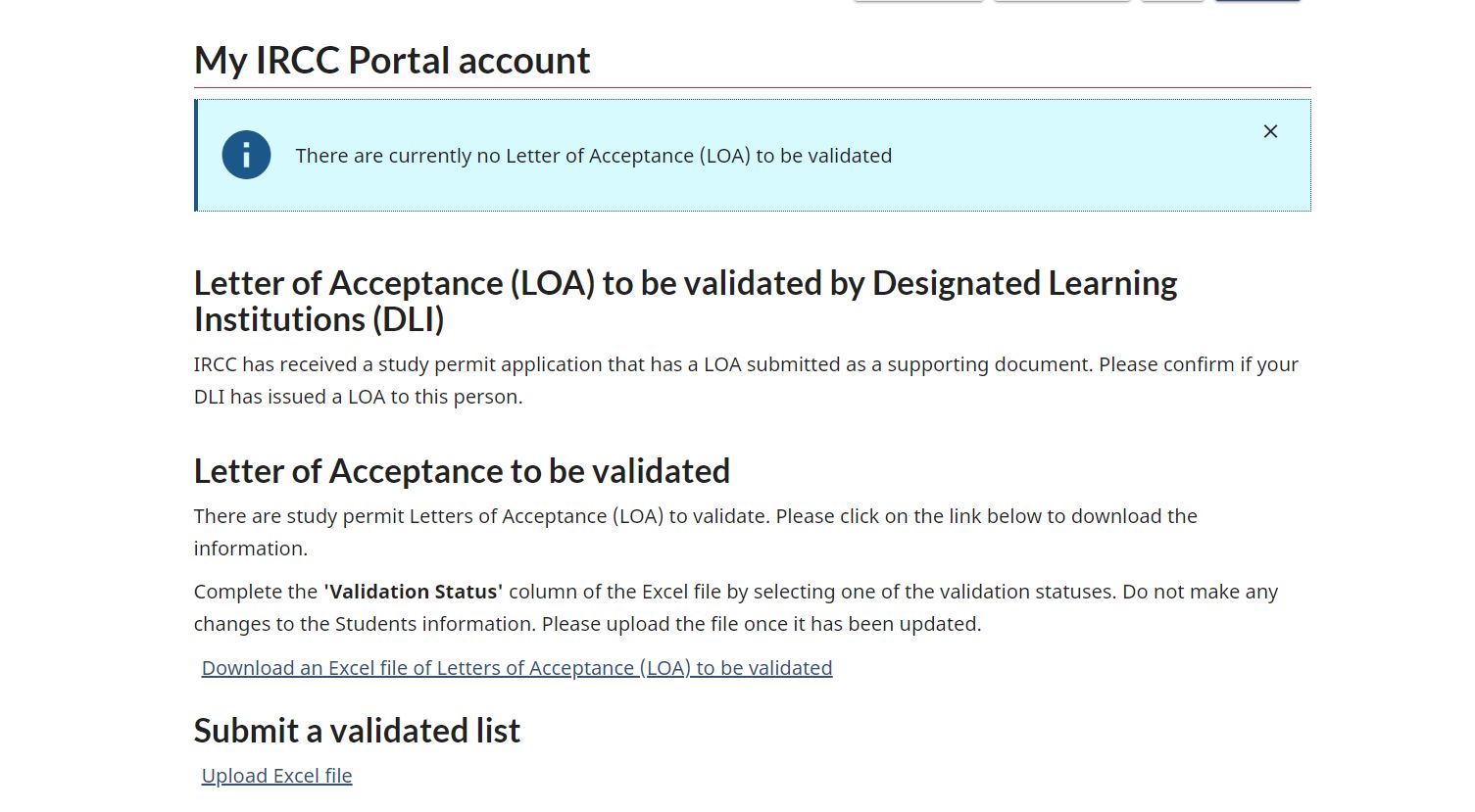
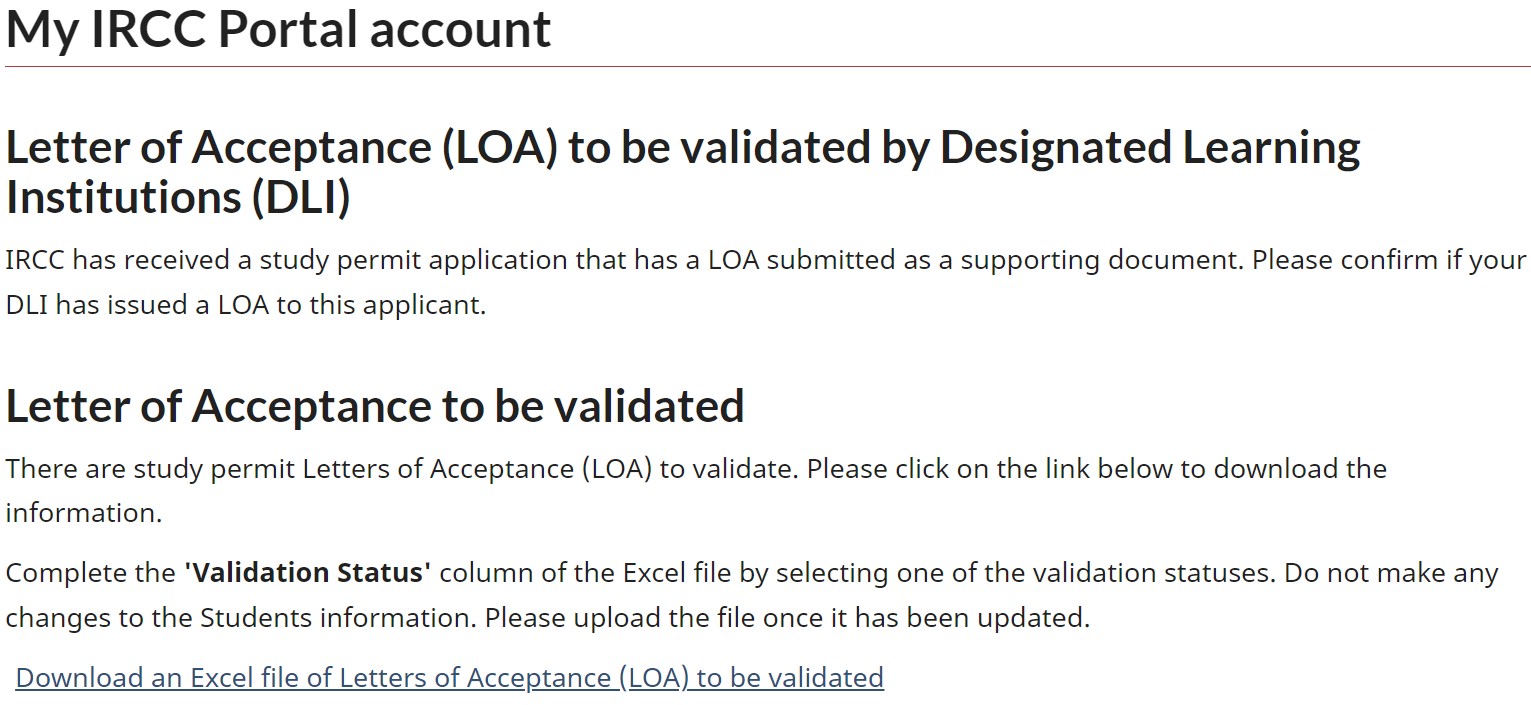
From your account home page, click Download an Excel file of Letters of Acceptance (LOA) to be validated under Letter of Acceptance to be validated.
Note: If there are no documents to be validated, the IRCC Portal will display the following message when you click Download an Excel file of Letters of Acceptance (LOA) to be validated: “There are currently no Letter of Acceptance (LOA) to be validated.”
View image
-
If there are documents to be validated, you will be given an Excel document that displays the information you are required to verify.
View image
- Check the Verification Deadline column to determine when the verification must be completed for each request.
- All verifications must be submitted before midnight Coordinated Universal Time (UTC) on the date indicated; you can’t provide a validation status for the verification request after this time.
- For example, if the verification request deadline is April 11, 2024, you must complete the verification by 11:59:59 p.m. UTC on April 10, 2024.
- All verifications must be submitted before midnight Coordinated Universal Time (UTC) on the date indicated; you can’t provide a validation status for the verification request after this time.
- For each student on the list, select the applicable validation status from the drop-down menu in the Validation Status column.
-
Once you submit a validation status for a student in the portal, you will not be able to change it.
View image

Important: Do not make changes or add information to any of the columns in the Excel sheet other than the Validation Status column. This will ensure that we can associate the information to the correct student.
-
- Save the updated Excel file to your computer as an “.xlsx” file type.
- Click Account home to return to your account home page.
- Click Upload Excel file, under Submit a validated list.
- Click Browse.
- Select the Excel file that you just saved to your computer.
- Once you select the file, click Submit and Upload. The Excel file has now been submitted to IRCC.
- To exit the portal, click Sign out.
You can’t change your responses
After you submit the validation status or once the deadline has passed
- you can’t change your response
- the information is removed from the IRCC Portal
You can view a validation status submitted to IRCC by viewing the corresponding Excel file that you uploaded in the IRCC portal.
How to search for a specific student
To view the document submitted by a specific student, click Find a student to view the submitted LOA under Search for a letter of acceptance.
You can search for a student by using their
- last name and date of birth, or
- student ID number
You can only view the student’s information and their submitted document if
- you have not submitted a validation status and
- the verification deadline has not passed
If the verification deadline has passed or you have submitted a validation status for that verification request, you won’t be able to find the student’s information.
Manual verification requests
In some cases, DLIs may receive an email from IRCC to complete a manual LOA verification.
- These manual verification requests must also be completed within 10 calendar days of the email request.
- These emails are separate from the automatic notification emails received from the IRCC Portal.
If you’re not sure if the email is from IRCC, send an email to confirm.